Label Text Editor
The Label Text Editor configures advanced Label text properties and functionality for Button, Advanced Button and Formatted Text Components. The Label Text Editor can set join numbers and conditions that dynamically control the Label text that is displayed at runtime.
Using Label Mode & The Label Text Editor
-
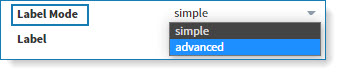
In the PROPERTIES Grid's Interactions section, click on the Label Mode drop-down and select advanced:
-
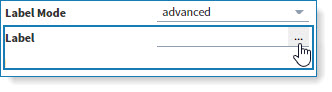
In the Label property click on the ellipses button to open the Label Text Editor:
-
Type the Label text on the Canvas and style the text using the Label Text Editor toolbox's smart icons:

ANALOG, SERIAL, DIGITAL & HTML
-
Click on the ANALOG, SERIAL or DIGITAL buttons to set join numbers and conditions that dynamically control the Label text that is displayed at runtime:

-
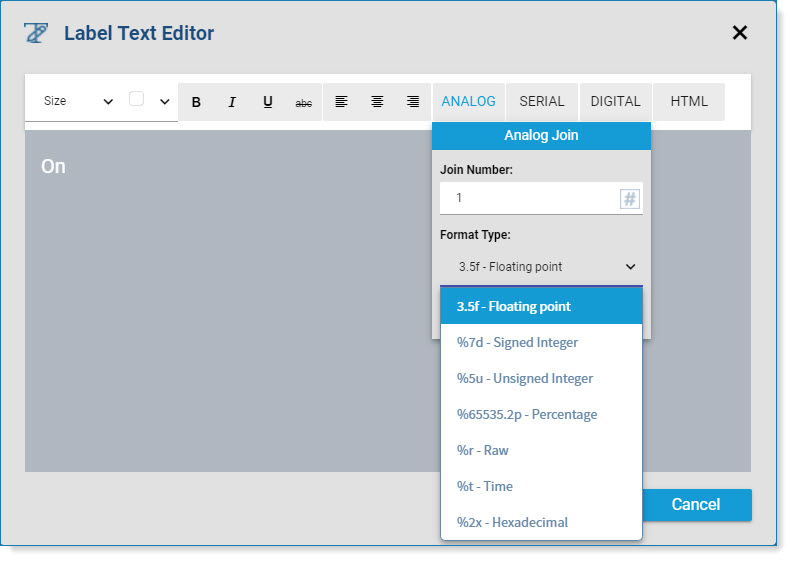
Click the ANALOG button to set an analog join number; use the Format Type drop-drop to set the corresponding Format Type:
Format Type Description Example HTML Value Formatted
TextFloating point Displays the analog join value as a floating point number, adding trailing and leading zeros if necessary. <A$91?%3.5f> <p><ch5-jointotext-numeric receiveStateValue="1" decimalLength="5" length="3" type="float"></ch5-jointotext-numeric></p> 23415 000.23415 Signed Integer Displays the analog join value as a signed integer, adding leading zeros to the number if necessary. <A$91?%5d> <p><ch5-jointotext-numeric receiveStateValue="1" length="5" type="signed"></ch5-jointotext-numeric><ch5-jointotext-numeric receiveStateValue="1" decimalLength="3" length="5" type="float"></ch5-jointotext-numeric></p> 9999 0009999 Unsigned Integer Displays the analog join value as an unsigned integer, adding leading zeros to the number if necessary. <A$91?%7u> <p><ch5-jointotext-numeric receiveStateValue="1" length="7" type="unsigned"></ch5-jointotext-numeric><ch5-jointotext-numeric receiveStateValue="1" length="5" type="signed"></ch5-jointotext-numeric><ch5-jointotext-numeric receiveStateValue="1" decimalLength="3" length="5" type="float"></ch5-jointotext-numeric></p> 65535 65535 Percentage Displays the analog join value as a percentage from 0 to 100. <A$91?%1.1p> <p><ch5-jointotext-numeric receiveStateValue="1" decimalLength="1" length="1" type="percentage"></ch5-jointotext-numeric><ch5-jointotext-numeric receiveStateValue="1" length="7" type="unsigned"></ch5-jointotext-numeric><ch5-jointotext-numeric receiveStateValue="1" length="5" type="signed"></ch5-jointotext-numeric><ch5-jointotext-numeric receiveStateValue="1" decimalLength="3" length="5" type="float"></ch5-jointotext-numeric></p> 500 50 Raw Displays the analog join value as is without any formatting. <A$91?%r> <p><ch5-jointotext-numeric receiveStateValue="1" type="raw"></ch5-jointotext-numeric><ch5-jointotext-numeric receiveStateValue="1" length="7" type="unsigned"></ch5-jointotext-numeric><ch5-jointotext-numeric receiveStateValue="1" length="5" type="signed"></ch5-jointotext-numeric><ch5-jointotext-numeric receiveStateValue="1" decimalLength="5" length="3" type="float"></ch5-jointotext-numeric></p> 55 55 Time Display the analog join value as time in hours, minutes and seconds (hh:mm:ss). The incoming analog join value is assumed to be in units of seconds. <A$91?%t> <p><ch5-jointotext-numeric receiveStateValue="1" type="time"></ch5-jointotext-numeric><ch5-jointotext-numeric receiveStateValue="1" type="raw"></ch5-jointotext-numeric><ch5-jointotext-numeric receiveStateValue="1" length="7" type="unsigned"></ch5-jointotext-numeric><ch5-jointotext-numeric receiveStateValue="1" length="5" type="signed"></ch5-jointotext-numeric><ch5-jointotext-numeric receiveStateValue="1" decimalLength="5" length="3" type="float"></ch5-jointotext-numeric></p> 3200 53:20 Hexadecimal Convert and displays the analog join value from decimal to a hexadecimal value, adding leading zeros to the number if necessary. <A$91?%h> <p></p> 15 0F
-
Click on the SERIAL button to set a serial join number and the default text:
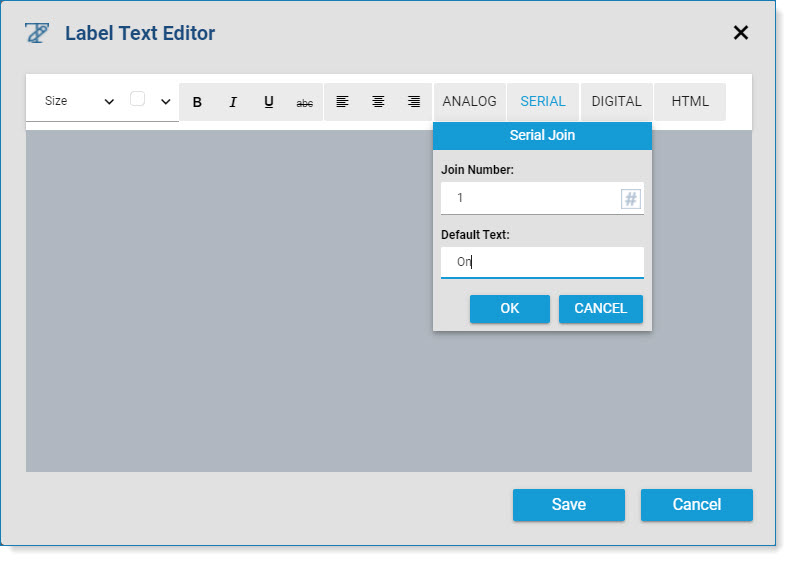
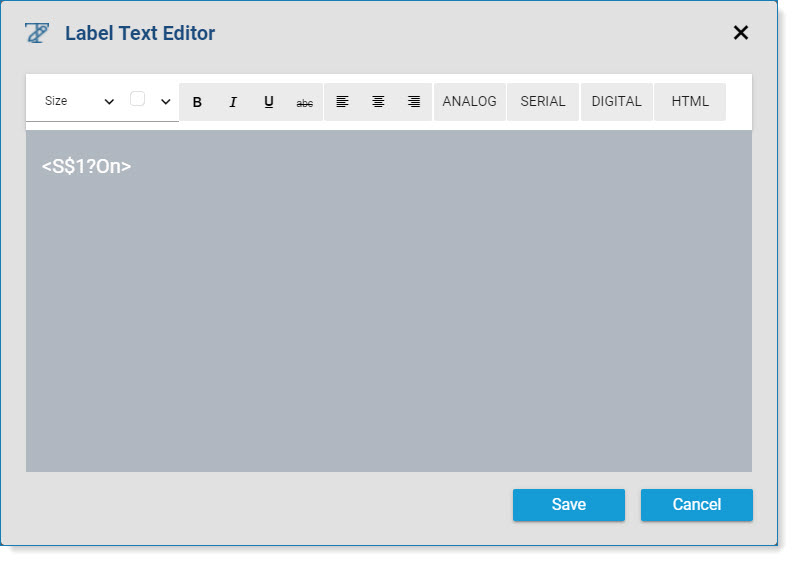
In this example, the Serial Join Number was set to 1 and the Default Text was set to On.
Corresponding HTML: <p><ch5-jointotext-string receiveStateValue="1" textWhenEmpty="On"></ch5-jointotext-string></p>.
-
Click on the DIGITAL button to set a digital join number:


In this example, a Digital Join Number was set to 1. If the digital join is True , then the Label text: On will be displayed. If the digital join is False, then the Label text: Off will be displayed.Corresponding HTML: <p><ch5-jointotext-boolean receiveStateValue="1" textWhenTrue="On" textWhenFalse="Off"></ch5-jointotext-boolean></p>.
Note: Advanced label settings are lost when the Label Mode is changed from advanced to simple.